





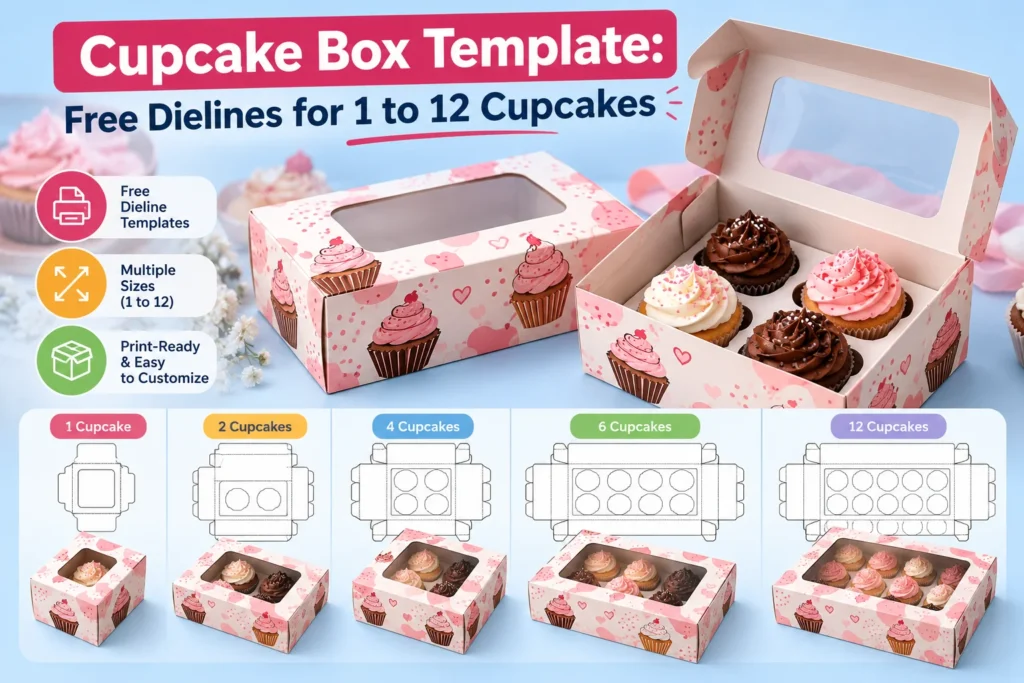
A cupcake box template saves you from drawing a box by hand and hoping it folds. The catch is that most printable templates come in one fixed size that never quite matches your cupcakes or your count.
Our free dieline generator draws the template at the exact inside size you type, for 1 cupcake or for 12. You download it as a print ready file, cut it at home or send it to us for printed boxes.
This guide gives you the sizes to type for every common count, the box style that works best and a simple way to make the insert. It also covers cutting the template on a Cricut and checking it folded in 3D before you cut.
Key takeaways
- Our free dieline generator draws a cupcake box template at your exact inside size and downloads it as PDF, AI or SVG with no account.
- Type the inside size as Length, Width and Height, for example 246 by 164 by 100 mm for 6 standard cupcakes.
- An Auto-Lock Bottom style snaps flat in one movement and suits cupcake boxes better than a tuck end base.
- Make the insert from a flat card with holes 3 mm wider than the liner base and two folded legs that raise it about 25 mm.
- A Cricut cuts about 11.5 by 23.5 inches at most, so it handles mini boxes and single boxes but not boxes of 4 or more.
Where Can You Get a Free Cupcake Box Template?
You can get a free cupcake box template from our free dieline generator, which draws the template at the size you type and downloads it in seconds. There is no account to create and no watermark on the file.
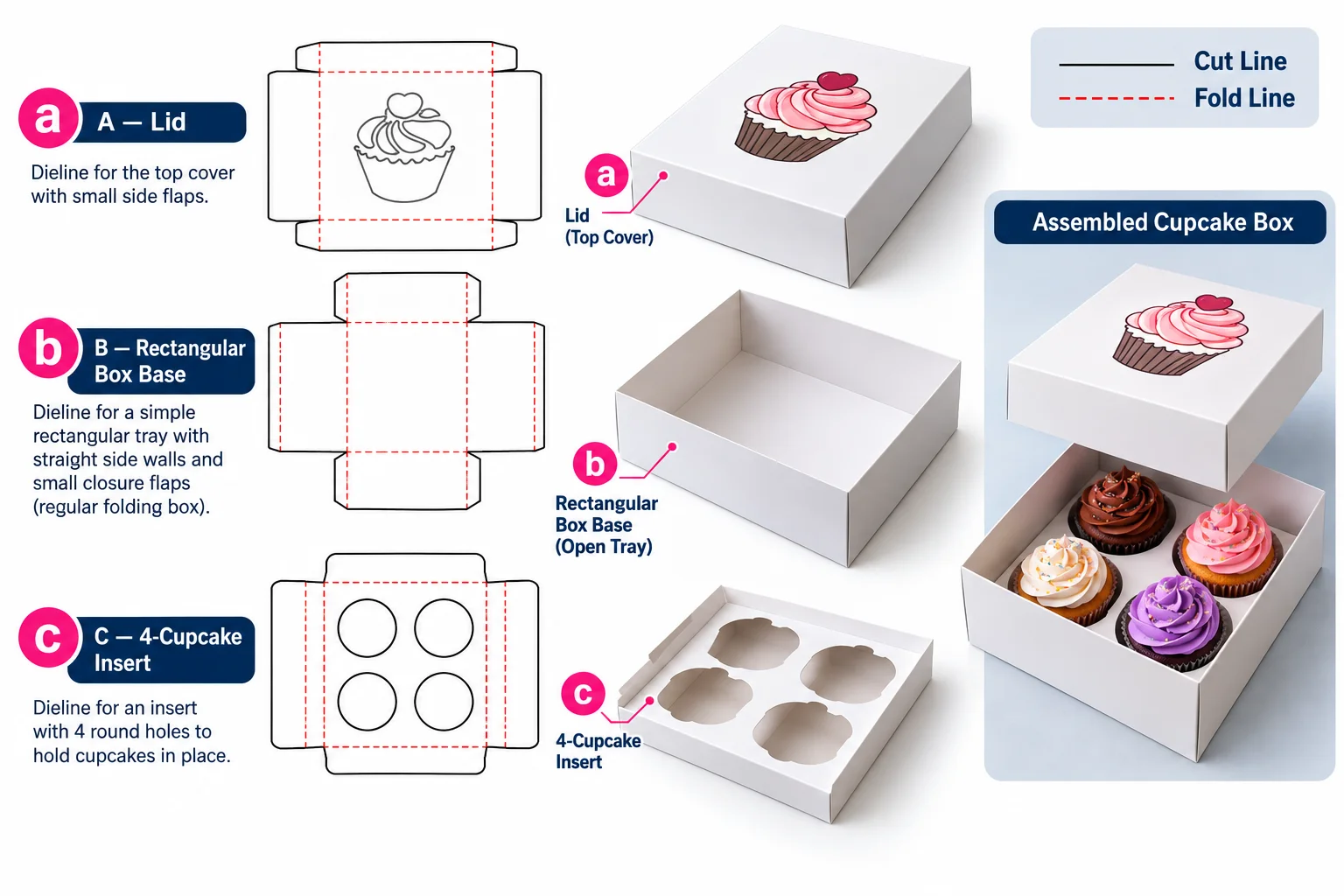
The generator draws the cut lines and fold lines and the bleed area for the box style you pick. You download the template as a PDF for printing or an AI file for design software or an SVG file for a cutting machine.
| What you get | Details |
|---|---|
| Box styles | Auto-Lock Bottom, Straight Tuck End, Reverse Tuck End, 123-Bottom Tuck Top and more |
| Size | Length, Width and Height in millimeters, centimeters or inches |
| Lines | Cut, fold and bleed lines drawn at true size |
| Downloads | PDF, AI and SVG files |
| Next step | Open the same box in the 3D studio to add artwork |
A free template is only useful when it fits your cupcakes. That makes the inside size the first thing to settle.
What Size Should a Cupcake Box Template Be?
A cupcake box template should match the inside size your cupcakes need, which is 82 mm per standard cupcake in each direction and 100 mm of height. A 6 cupcake box template is 246 by 164 by 100 mm and a 12 cupcake box template is 328 by 246 by 100 mm.
| Template | Cupcakes | Length x Width x Height |
|---|---|---|
| 1 cupcake box template | 1 standard | 82 x 82 x 100 mm |
| 2 cupcake box template | 2 standard | 164 x 82 x 100 mm |
| 4 cupcake box template | 4 standard | 164 x 164 x 100 mm |
| 6 cupcake box template | 6 standard | 246 x 164 x 100 mm |
| 12 cupcake box template | 12 standard | 328 x 246 x 100 mm |
| Mini 12 box template | 12 mini | 216 x 162 x 55 mm |
| Jumbo 1 box template | 1 jumbo | 101 x 101 x 120 mm |
Type these numbers into the Length, Width and Height fields in millimeters. The generator then adds the board thickness at each fold, so the folded box comes out a fraction larger than the size you typed.
If your cupcakes are taller or wider than average then our guide to cupcake pan sizes shows how to measure them. With the size set you can pick the style of box the template draws.
Which Box Style Works Best for a Cupcake Box Template?
The Auto-Lock Bottom style works best for a cupcake box template because the base snaps flat in one movement and stays level under the insert. You open the flat box, push the base down and it locks without tape or glue.
| Style | Base | Best for |
|---|---|---|
| Auto-Lock Bottom | Snaps flat in one movement | Boxes of 2 to 12 cupcakes |
| Straight Tuck End | Tucks at both ends on the same side | 1 or 2 cupcakes |
| Reverse Tuck End | Tucks at both ends on opposite sides | 1 or 2 cupcakes |
| 123-Bottom Tuck Top | Three step folded base | Jumbo cupcakes and heavier loads |
A Straight Tuck End or a Reverse Tuck End box also works for one or two cupcakes and uses a little less board. The 123-Bottom Tuck Top style folds a strong base by hand and suits heavier jumbo cupcakes.
Whichever style you choose, the box only protects the cupcakes once something holds them in place, and that job belongs to the insert.
Made your cupcake box template already?
Send the file with your quantity and we return a proof and a price for printed cupcake boxes.
How Do You Make a Cupcake Box Insert Template?
You make a cupcake box insert template from a flat card the size of the box floor. It has one hole per cupcake and two folded legs that lift it. Each hole is 3 mm wider than the liner base and a standard cupcake needs a 54 mm hole.
Draw the card 2 mm smaller than the inside length and width so it drops in easily. Add a strip of about 25 mm on two opposite sides and fold each strip down to make a leg.
| Cupcake | Insert hole | Hole spacing | Leg height |
|---|---|---|---|
| Mini | 35 mm | 54 mm center to center | About 15 mm |
| Standard | 54 mm | 82 mm center to center | About 25 mm |
| Jumbo | 67 mm | 101 mm center to center | About 30 mm |
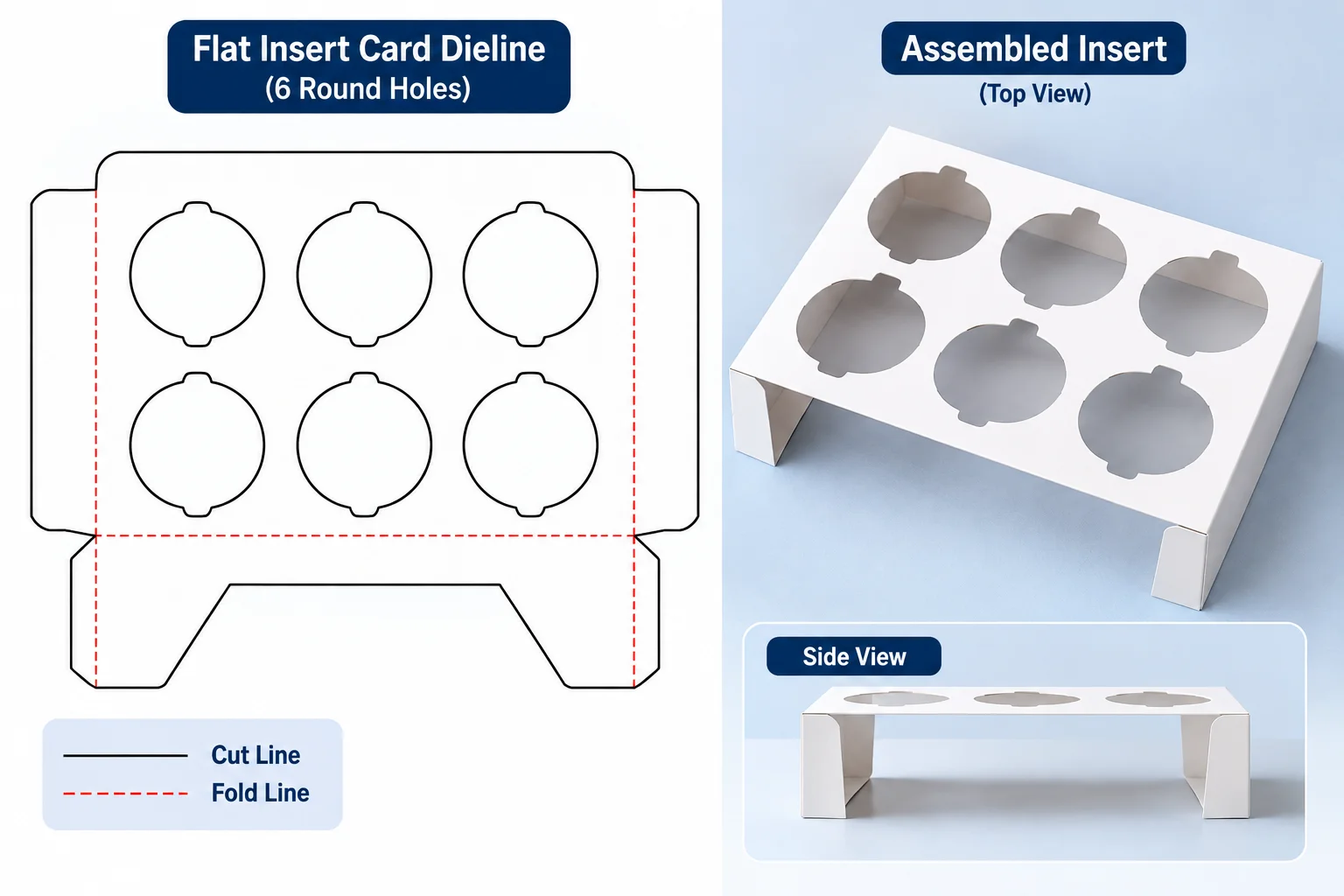
The legs raise the card so the liner passes through the hole and rests on the floor of the box. The card then holds the cupcake at its waist where the liner meets the cake. With the box and insert drawn you can decide how to cut them.
Can You Cut a Cupcake Box Template on a Cricut?
You can cut a cupcake box template on a Cricut by downloading the SVG file from the generator and uploading it to Cricut Design Space. The machine cuts the outline and scores the fold lines when you set those lines to score.
The limit for any home cutter is the size of the mat it cuts on. A Cricut cuts about 11.5 by 23.5 inches on its long mat, which is 292 by 597 mm. The generator shows the full flat size of your template before you download it.
| Template | Fits a Cricut mat |
|---|---|
| 1 or 2 mini cupcakes | Yes, on the 12 by 24 inch mat |
| 1 standard cupcake | Close to the limit, check the flat size first |
| 4 or more standard cupcakes | No, the flat size is too large |
| Insert card for 1 to 6 cupcakes | Yes, on the 12 by 12 inch mat |
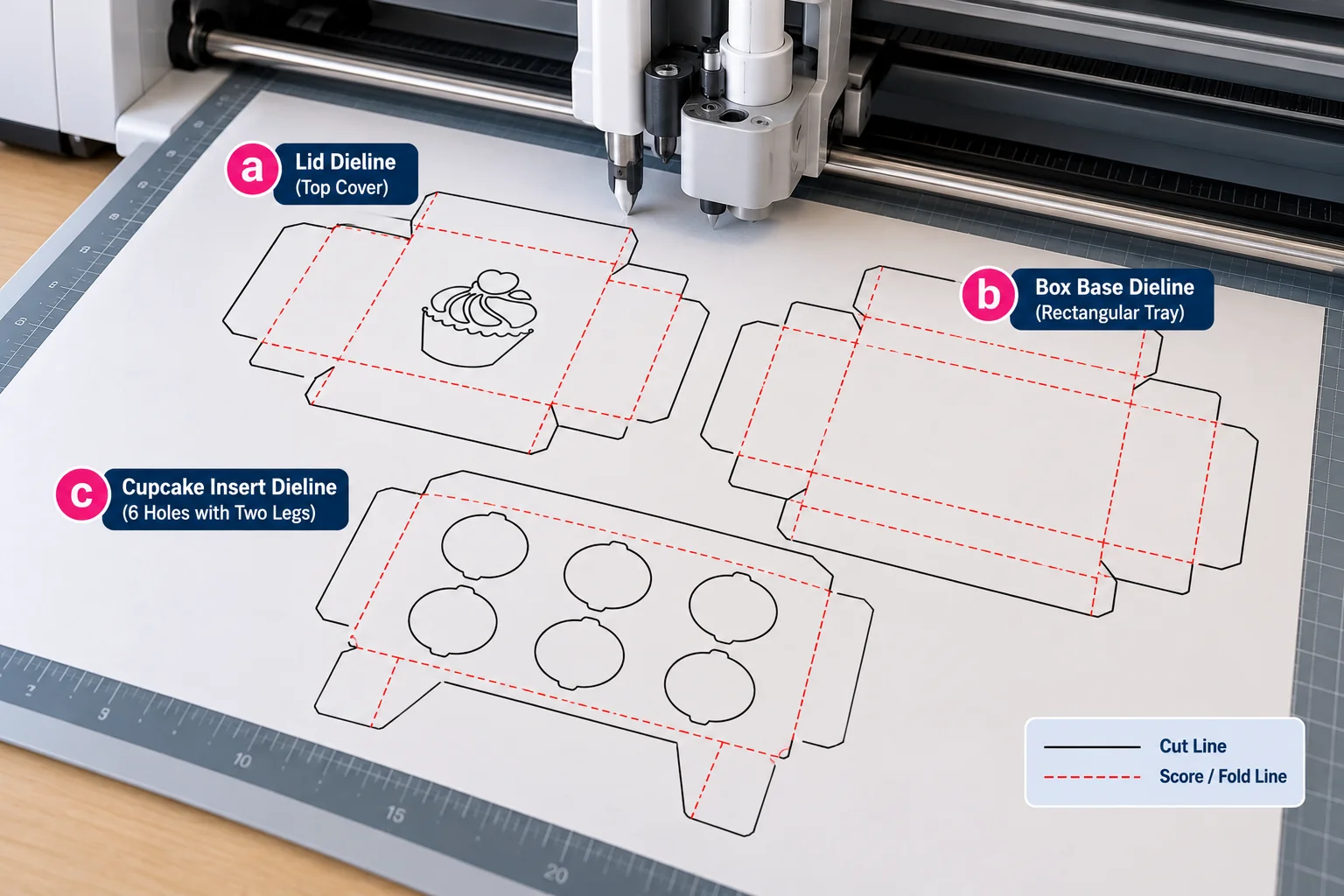
Use a heavy cardstock between 65 and 110 lb for a box that holds its shape. Craft cardstock and home printer ink are not made for food contact. Keep every cupcake in its paper liner and use a box like this for gifts rather than for sale.
Before you cut a single sheet it pays to see the box folded on screen, and our studio shows it in a few clicks.
How Do You Check the Template in 3D Before You Cut?
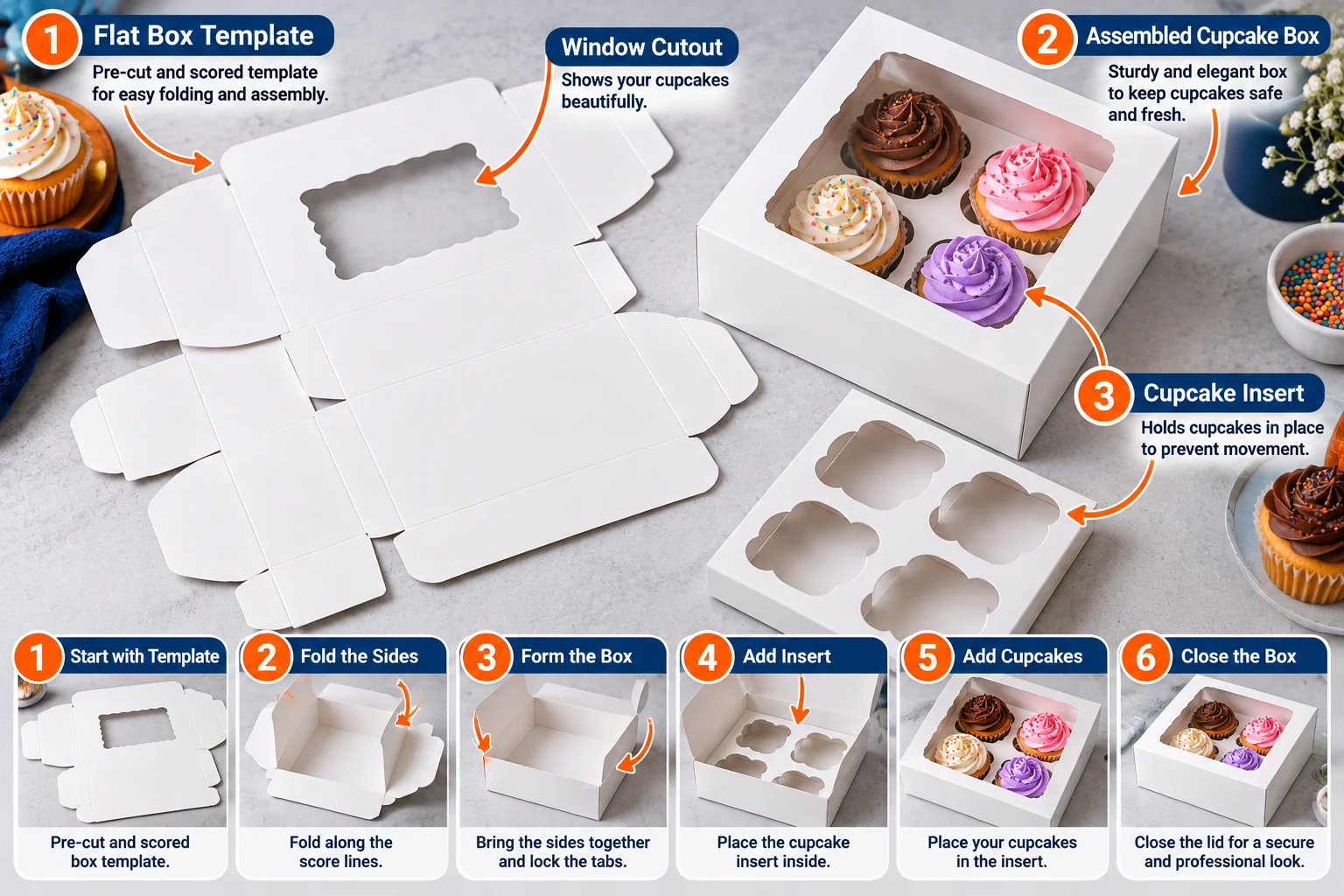
You check the template in 3D by opening it in our 3D box studio straight from the dieline generator, which carries over the same style and size. The studio folds the box on screen so you can see every panel meet the next.
Drag your logo or artwork onto the panels and move the fold slider from open to closed. If a design runs across a fold or the lid looks too low for the frosting then fix it now while it costs nothing.
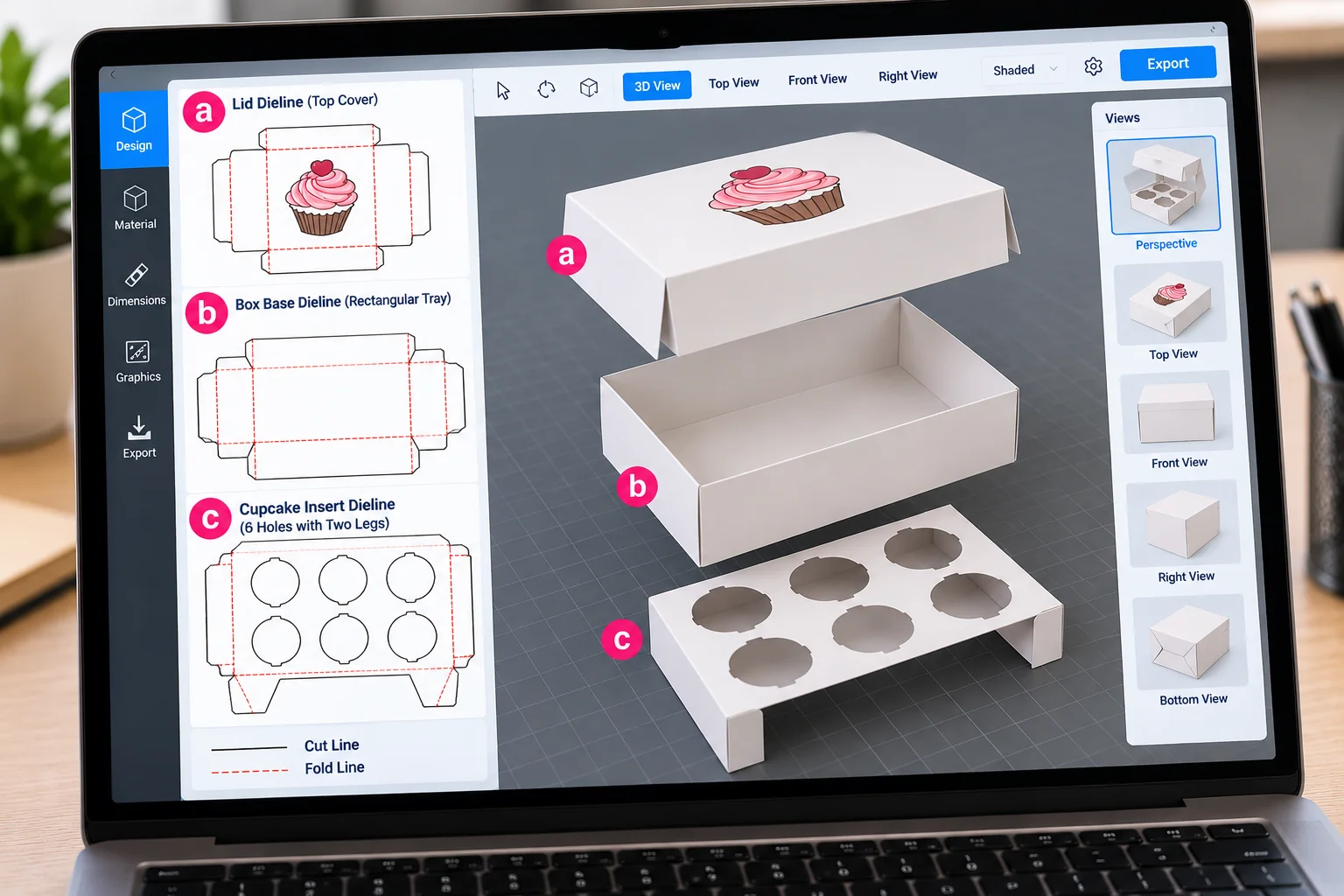
Our guide on how to design a box online walks through every button in the studio. Once the box looks right you have a choice between cutting it yourself and ordering it printed.
When Should You Switch From a Template to Printed Cupcake Boxes?
You should switch from a template to printed cupcake boxes once you need more than a few dozen boxes or you sell cupcakes to the public. Cutting and scoring and folding one box by hand takes several minutes. Printed boxes arrive flat in cartons and ready to fold in seconds.
Printed boxes also solve the food contact question that home cardstock leaves open. Our custom cupcake boxes run on food grade SBS board at 300 to 400 GSM. They have a water based grease barrier inside and an insert cut to your liner.
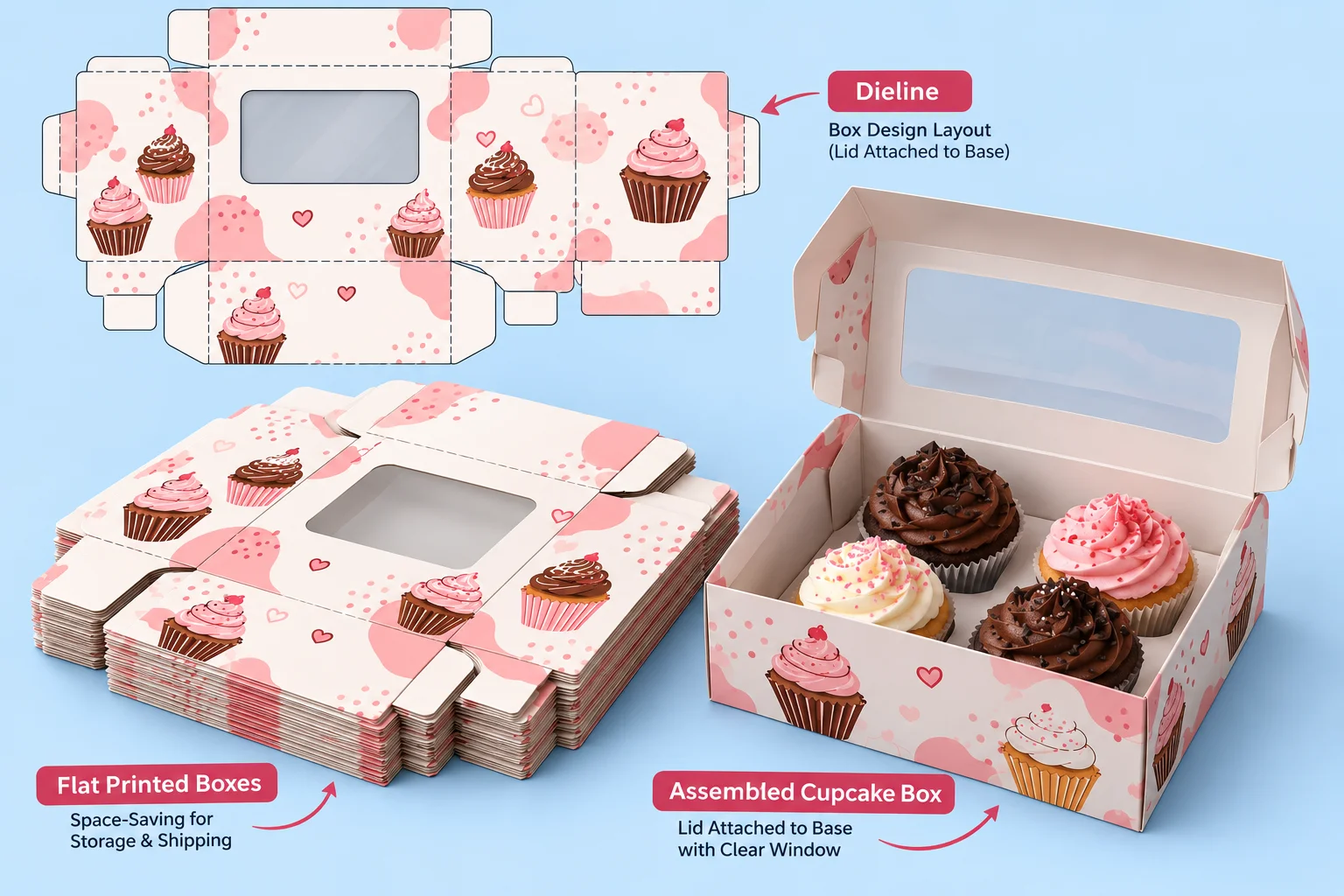
Send the same template you made through our quote form and we print it as your custom packaging boxes. Every order comes with a proof for you to approve before production starts.
- Minimum order is 100 boxes per size and design and the price per box falls as the run grows
- Price breaks arrive at 500 and 1,000 units on one artwork
- Production takes 8 to 10 business days after dieline approval and 10 to 12 for rigid gift boxes
- A plain sample takes 3 to 5 business days and a printed one takes 7 to 10
- No setup or tooling fees apply on the first order or any reorder
- Shipping is free across the United States on every order
If you sell one cupcake at a time see our single cupcake boxes, and for gifts see our cupcake bouquet boxes. Test a plain sample with real cupcakes before the printed run.
Frequently asked questions
The short version
Make a free cupcake box template in our dieline generator at the inside size your cupcakes need. Six standard cupcakes need 246 by 164 by 100 mm. Pick the Auto-Lock Bottom style and add an insert with holes 3 mm wider than the liner.
Cut small boxes on a Cricut or check the box in 3D first. When you need more than a few dozen boxes send the template to us. We print it from 100 boxes per size and design with free shipping across the United States.
Ready to print the template you made?
At The Customized Boxes we print from 100 boxes per size and design with no setup fees, production in 8 to 10 business days after dieline approval and free shipping across the United States.
