





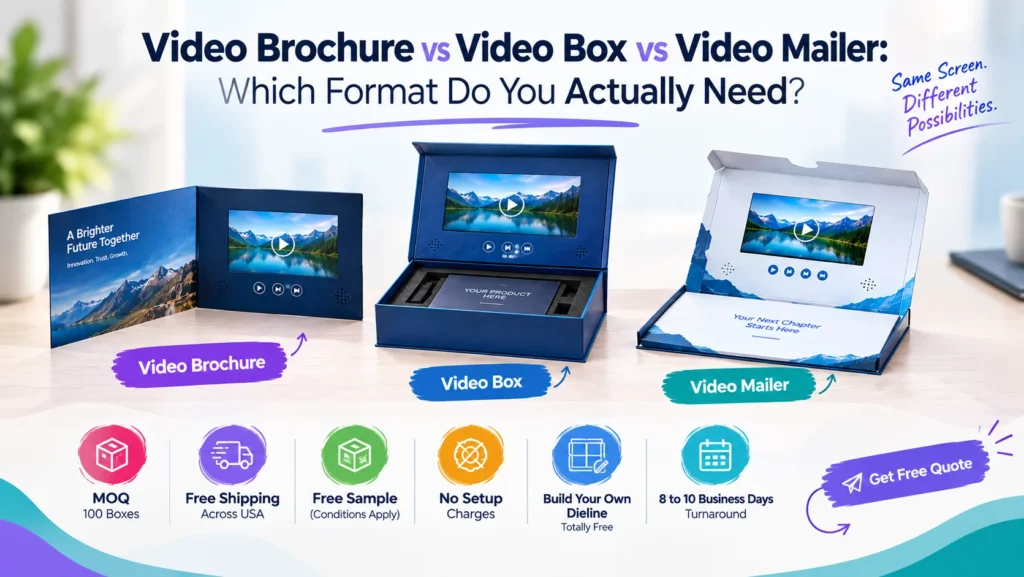
These are not three names for the same thing. They are three different products at three different price points and picking the wrong one is the most expensive mistake in this category.
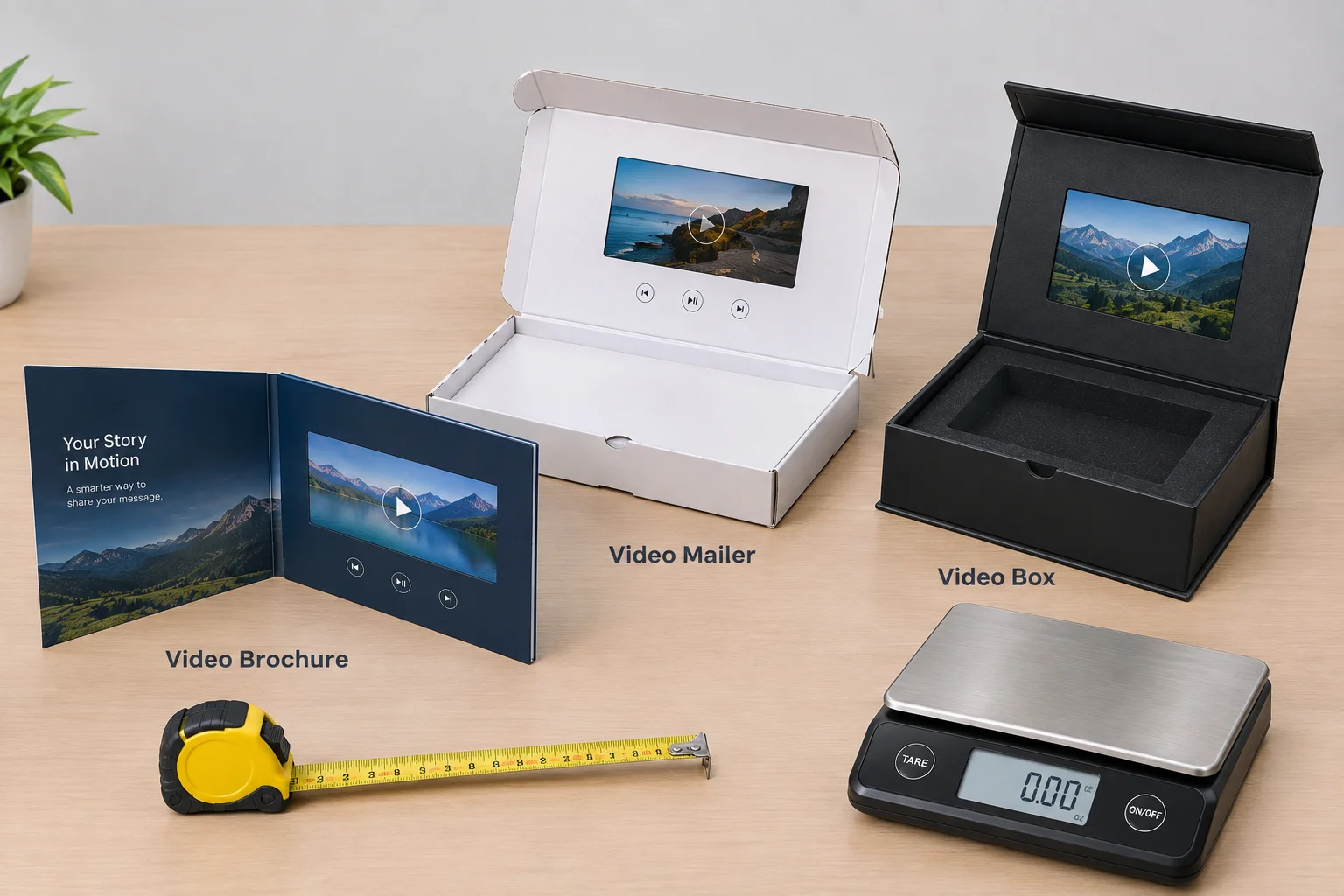
Here is the short version. A video brochure is a printed card with a screen inside it and it is the cheapest way to put video in someone’s hands. A video box is a rigid presentation box with a screen in the lid and it holds a product as well as a message. A video mailer sits between the two and it is built to survive the post without an outer carton.
The screen module inside all three is often the identical part. What changes is everything built around it and that is exactly where your money goes.
The short version
- A video brochure holds nothing, a video mailer holds nothing but posts on its own, and a video box carries a product. That single difference settles most format decisions.
- The screen module is frequently the same part across all three. You are choosing the structure around it, not better or worse playback.
- Screen size moves the price more than format does. Shrink the screen before you downgrade the format.
- A video box runs $35 to $90 per unit and 20 to 25 business days, and it is the only format with six or seven printable surfaces.
- Every format carries a lithium battery, so every shipment is regulated. Tell your supplier the destination and the date on day one.
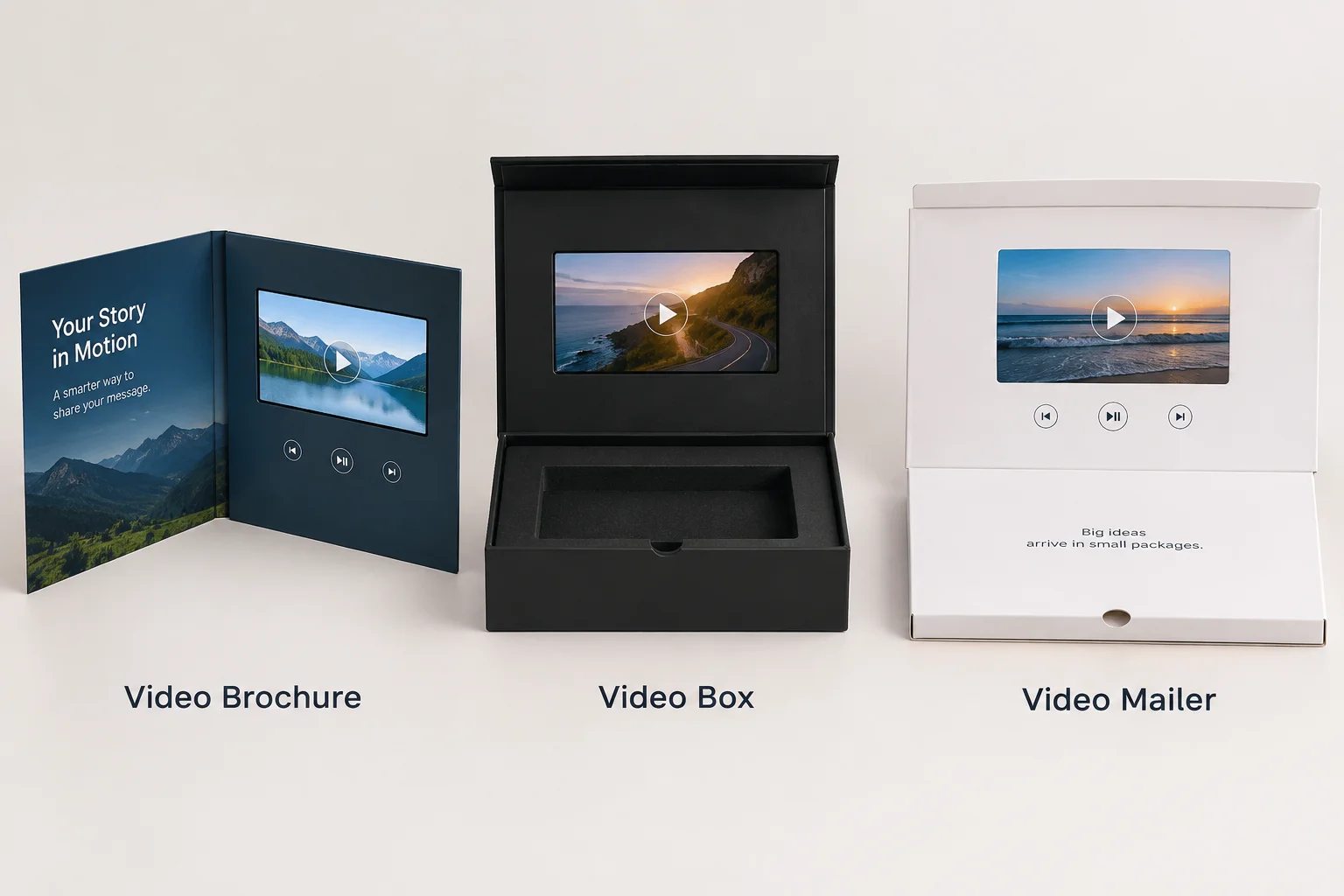
The six formats, and what each one is for
The category has more members than most buyers realize so here they are with the thing that actually separates them.
| Format | What it is | Holds a product? | Typical use |
|---|---|---|---|
| Video brochure | A printed card or booklet with a screen inside | No | Sales calls, trade shows, direct mail |
| Video mailer | A brochure built to post on its own, with a rigid shell | No, or something flat | Cold outreach, mailing lists |
| Video box | A rigid setup box with a screen in the lid | Yes | Launches, VIP gifts, press kits |
| Video folder | A presentation folder with a screen and document pockets | Paper only | Proposals, tenders, investor packs |
| Video book | A hardcover book format with a screen inside the cover | No | Brand storytelling, anniversaries |
| Video business card | A card-sized unit with a small screen | No | Networking, executive gifts |
The three that matter commercially are the brochure, the mailer and the box. The other three are variations built for specific situations and you already know it if one of them fits yours.
The question that decides it
Forget the formats for a moment and answer a single question.
Does a physical product need to travel with the video?
If it does, you need a custom video box because nothing else gives you the depth or the insert.
If it does not, you are choosing between a brochure and a mailer and that choice comes down to how the piece reaches the recipient.
That really is the whole decision tree. Everything after this is detail that helps you get the version you chose made properly.
Video brochures, in detail
A video brochure is a printed card with a screen recessed into the inside face and it usually runs to A5 or close to it. It opens like a greeting card and the screen starts playing the moment the cover lifts.
What it is good at. It is flat, light and cheap to post inside another envelope so a sales rep can carry twenty of them in a bag without noticing the weight. It reads as a document rather than a gift and that matters a great deal when you are pitching rather than giving.
What it is not good at. It cannot hold anything because there is no insert, no depth and no unboxing moment to build. The recipient watches the video and is left holding a card with a screen in it and it usually ends up in a drawer.
Where it fits. Trade show handouts to qualified visitors, leave-behinds after a sales meeting and tender submissions where a video needs to sit alongside a written document.
Video mailers, in detail
A video mailer is a brochure engineered to survive the postal system on its own. It has a rigid shell, a closure that stays shut and enough structure that it never needs an outer carton around it.
What it is good at. It posts as a single item and that sounds like a small advantage until you price the alternative. An outer carton adds weight, cost and an extra step in fulfillment and across a mailing of two hundred that difference turns into real money.
What it is not good at. It shares the brochure’s limitation because no product goes inside it either. It is also heavier and a little less elegant than a brochure meant to be handed over. The shell is built for the post rather than the hand.
Where it fits. Cold outreach to a purchased or built list, account-based marketing campaigns and any situation where you are mailing to people who never asked to hear from you.
Video boxes, in detail
A video box is a rigid setup box usually built from 1.5 to 2.0 mm grayboard wrapped in printed paper. The screen sets into the lid and a custom insert holds the product below it.
What it is good at. It does two jobs at once because the video introduces the product while the box presents it. The opening sequence is the whole point. That is why it works so well for launches and press kits where the moment of opening is the moment you are paying for.
What it is not good at. Cost and weight are both against it. This is the most expensive format in the category and the heaviest to ship and both of those problems scale badly as the quantity climbs.
Where it fits. Product launches, press and influencer sends, VIP client gifting, investor packages and limited editions.
What each one costs
This is the part buyers actually want so here it is without any hedging.
| Format | Typical range per unit | What moves the price |
|---|---|---|
| Video business card | Lowest in the category | Screen size, run length |
| Video brochure | Low to mid | Screen size, page count, finish |
| Video mailer | Mid | Shell construction, screen size |
| Video folder | Mid | Pocket count, screen size |
| Video book | Mid to high | Cover construction, binding |
| Video box | $35 to $90 | Screen size above everything else |
The one hard figure there is the video box range because that is the format we quote most often and the market publishes it openly. The others all sit below it and the gap between the cheapest brochure and the most expensive box is several times over rather than a few percent.
The number that surprises people: screen size moves the price more than the format does. A 10 inch display costs multiples of a 2.4 inch one and that difference dwarfs the cost of the printed shell around it. If your budget is tight you should shrink the screen before you downgrade the format.
The hardware is the same. That is the point.
Here is something the category tends to keep quiet about.
The module inside a brochure and the module inside a box are frequently the same part. That means the same IPS LCD, the same memory range, the same battery and the same activation switch.
| Specification | Range across all formats |
|---|---|
| Screen size | 2.4, 4.3, 5, 7 and 10 inch |
| Screen type | IPS LCD |
| Memory | 128 MB to 8 GB |
| Battery | Rechargeable lithium, around 4 hours of playback |
| Charging | USB or USB-C |
| Activation | Magnetic reed switch, push button, or light sensor |
| Video format | MP4, matched to the screen resolution |
Why this matters to your decision. You are not choosing between better video and worse video. You are choosing what gets built around the same screen so the real question is never which format has the best playback. The question is what the recipient needs to receive alongside the video.
A straight comparison
| Video brochure | Video mailer | Video box | |
|---|---|---|---|
| Holds a product | No | No | Yes |
| Posts on its own | Needs an envelope | Yes | Usually needs a carton |
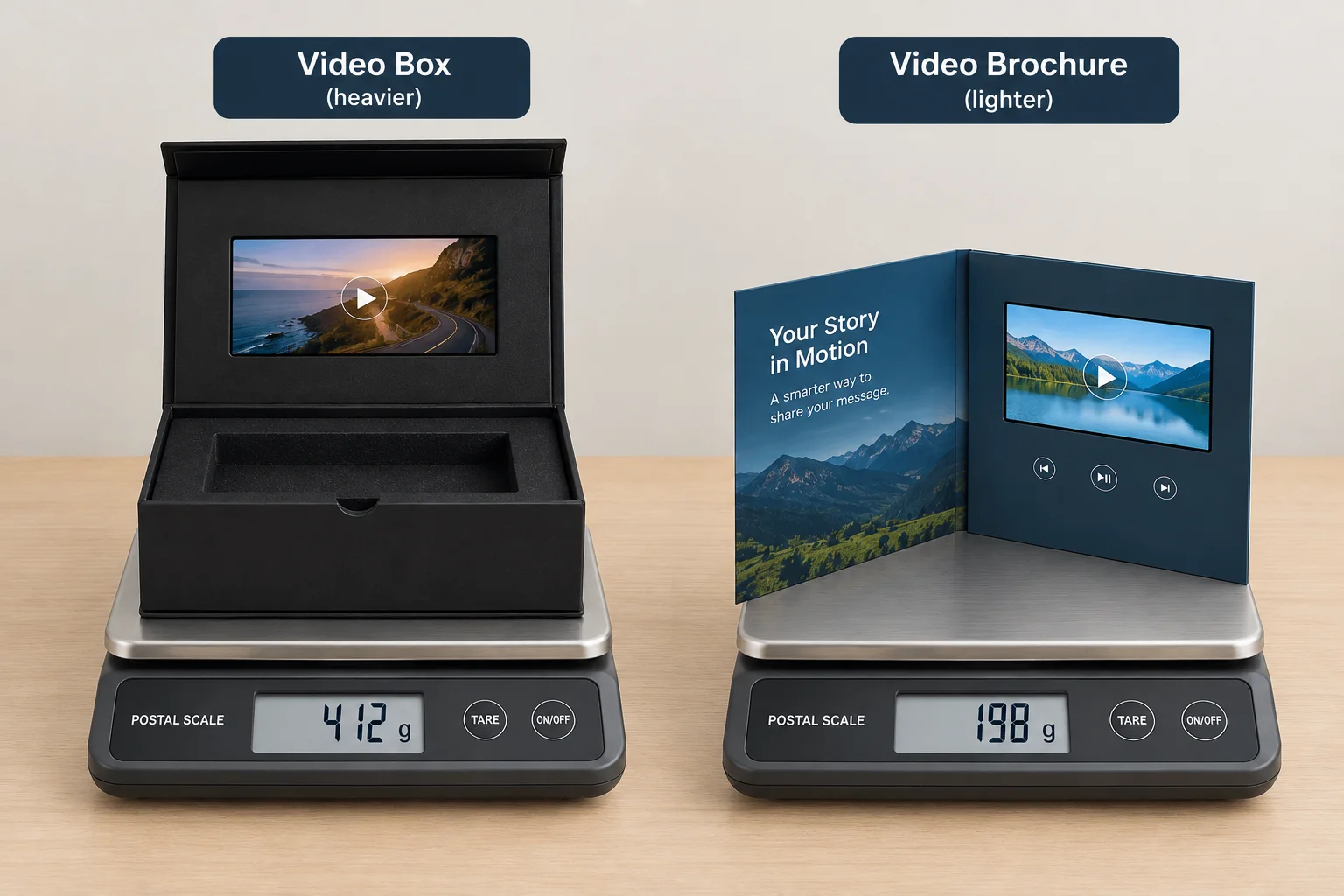
| Weight | Lightest | Light | Heaviest |
| Cost per unit | Lowest of the three | Middle | Highest |
| Unboxing moment | Minimal | Minimal | The main event |
| Reads as | A document | A mailing | A gift |
| Best quantity | 100 to 1,000+ | 100 to 1,000 | 50 to 500 |
| Storage after use | Drawer | Drawer | Kept on a desk |
That last row is worth pausing on. A video box tends to get kept because it looks like an object rather than a piece of print. If your goal is to stay in the room after the meeting ends, the format will do more for you than the video does.
How to choose in four questions
Answer these four in order and the format picks itself.
- Does a physical product go with it? If it does, you want a video box and you can stop reading here.
- Is it going in the post by itself? If it is, you want a video mailer.
- Is it being handed over in person or posted inside something else? Either of those points you to a video brochure.
- Does written material need to travel with it? That is the job a video folder was built to do.
If you answered no to all four you probably want a video business card. That is the format for situations where the whole thing has to be pocket-sized.
Not sure which format fits?
Tell us what needs to travel with the video and how it reaches the recipient. We will name the format and the screen size before you spend anything on artwork.
How much artwork space do you actually get?
Format changes your print area more than the outside dimensions suggest because the screen eats into the space you were counting on.
| Format | Printable faces | What the screen takes up |
|---|---|---|
| Video brochure | Front, back, and both inside faces | Most of one inside face |
| Video mailer | Same as a brochure, plus the closure flap | Most of one inside face |
| Video box | Lid outside, lid inside, all four sides, base, and the insert | The center of the lid inside |
| Video folder | Front, back, inside spread, pocket faces | One inside panel |
| Video book | Cover, spine, back, and every page | Inside the front cover |
The box wins this comfortably and it is a reason to choose one that most buyers never think about. You get the outside for branding, the inside lid around the screen, all four walls and the insert itself. That comes to six or seven printable surfaces against the brochure’s four.
The insert is the surface people forget. A printed insert is the first thing the recipient sees after the lid lifts and it stays in frame for the whole time the video plays. On a press send it is also the surface most likely to end up in a photograph.
One practical constraint. Keep critical artwork away from the screen bezel on every format. The module sits in a recess and that recess carries a tolerance. A logo placed tight against the screen edge can look off-center on the finished item even when the file was perfect.
Lead times and samples
The formats do not all take the same time to make and the gap between them is wider than the gap in price.
| Format | Typical production | Why |
|---|---|---|
| Video business card | Shortest | Minimal construction |
| Video brochure | Short to medium | Print, die-cut, mount the module |
| Video mailer | Medium | Adds the rigid shell and closure |
| Video box | 20 to 25 business days | Modules are loaded before the boxes are finished |
| Video book | Longest | Case binding takes its own time |
The video box figure is the one to plan around because it is the format most people order and the one with the most steps in it. The modules get programmed and tested first. Then the boxes are wrapped and only then do the two come together. Each stage has to finish before the next one starts.
Sampling works in two stages across every format. A 3D mock-up in 2 to 3 business days shows you the structure and the artwork. A working sample with your video loaded takes 10 to 12 business days because it is a real unit built by hand.
Order the working sample when the video is central to the campaign and order the mock-up alone when you only need to check the box and the print. The real mistake is skipping both and finding out what you bought on the day it lands.
When the numbers stop working
Every format has a quantity where it stops making sense and knowing where that point sits will save you money.
Below about 50 units, the setup cost dominates everything else. Tooling, plate charges and module programming cost the same whether you make 20 or 200 so a run of 20 carries the whole bill on its own. If you genuinely need 20, expect the per-unit price to look alarming and accept it because there is no way around that arithmetic.
Between 50 and 500, every format works and the choice becomes a question of fit rather than economics. This is where most branded campaigns sit and it is the range we quote most often.
Above about 1,000, the video box starts to strain commercially rather than technically. At $35 to $90 per unit a thousand boxes is a serious budget line. At that quantity a brochure or a mailer usually delivers the same message for a fraction of the spend. Video packaging is a precision instrument rather than a volume one.
The honest test: if you are sending to more people than you could name, you are probably in brochure territory. If you can list the recipients one by one, a box is easy to defend.
Five real scenarios
Rather than more theory, here is how the decision plays out across five briefs we see regularly.
A software company sending to 40 journalists before a launch. Video box. The product is not physical but the box carries a printed one-pager, a piece of merchandise and the video that explains what the software does. The recipient list is short and every name on it matters.
A manufacturer exhibiting at a trade show with 500 expected leads. Video brochure with a small screen. Handing out 500 boxes is not a budget so much as a mistake you only make once. The brochure carries the same message, costs a fraction of the box and fits in a visitor’s bag.
A B2B agency doing account-based outreach to 200 target companies. Video mailer. It posts on its own, it survives the journey and there is no product to include. The rigid shell does the work an outer envelope would otherwise have to do.
A jewelry brand launching a limited edition of 100 pieces. Video box. The product goes inside, the insert holds it in place and the opening moment is exactly what the customer is paying for. This is the clearest case in the whole category.
A consultancy submitting a tender with a 40 page document. Video folder. The written submission is the deliverable and the video is the introduction to it. A box would separate the two and that is the opposite of what a tender needs.
What most people get wrong
Choosing a box when a brochure would do. The box costs several times more and its advantage only exists if something goes inside it or if the opening moment is genuinely the point. On a sales leave-behind it is money spent on structure that nobody notices.
Choosing a brochure for a campaign that needed a mailer. The brochure arrives creased because it was never built for the post. The outer envelope that would have protected it costs more than the mailer would have cost in the first place.
Ordering the biggest screen available. A 10 inch display is impressive and the pricing above shows it is also the single largest line in your quote. For a 60 second message a 5 inch screen delivers the same content for a great deal less.
Forgetting the battery rules until the shipment is booked. Every format here is a regulated shipment and that is not a reason to avoid the category. It is a reason to tell your supplier the destination and the deadline on day one.
Does the format change how long the video should be?
Yes it does and this is a detail almost nobody plans for. The format sets the situation and the situation sets the attention you are given.
A video box is opened once, deliberately, usually alone. The recipient has already decided to open it so you have their attention for as long as the content holds it. In practice that means 60 to 90 seconds sits comfortably.
A video brochure at a trade show is watched standing up, in noise, with somebody waiting. Thirty seconds is generous in that setting and anything longer tends to get closed halfway through.
A video mailer is opened at a desk often between two other tasks. Forty five to sixty seconds works well and the first five have to earn the rest of them.
There is a hardware ceiling as well but it is rarely the one that binds. A 1 GB module carries around 20 minutes of video at the quality these screens display and a full charge gives roughly 4 hours of playback. That means memory and battery are never your real limit. Attention is the thing you run out of first.
One rule that applies across every format: the video has to work with the sound off. A large share of recipients open these at a desk in a shared office and never turn the volume up. A message that only lands with audio does not land at all.
Related reading
Video box screen sizes covers the physical dimensions of each panel and the box that each one forces. That is the next decision you make after the format.
Video box cost breakdown opens up the $35 to $90 figure and shows which lines on a quote you can actually influence.
How long should a packaging video be answers the length question in more depth since the right answer changes by format.
What to do if none of the formats fit
Occasionally the honest answer is that video packaging is not the right tool for the job at all.
If the audience is above about a thousand people, no format on this page competes with a well made printed box and a QR code pointing at the same film. The video does not have to sit inside the box for the film to get watched.
If the message needs to be updated frequently, a printed card with a short link beats a loaded module every time. A module can be reloaded but only while the boxes are still in your hands.
If the recipients will never be alone with it, such as a trade show handout collected in a bag with forty others, the screen never gets the moment it needs. Spend the money on something that survives the bag instead.
If the budget is fixed and small, a video brochure at the low end still costs several times what a printed piece costs. A strong rigid box with a fitted insert and a hand written note will do more for the same money.
None of that argues against the category. It argues for using it where the arithmetic works and that is a short list of people who each matter individually.
One more consideration: who opens it, and where
Format usually gets chosen on cost and size. There is a third variable that decides more than either of those and it barely gets discussed.
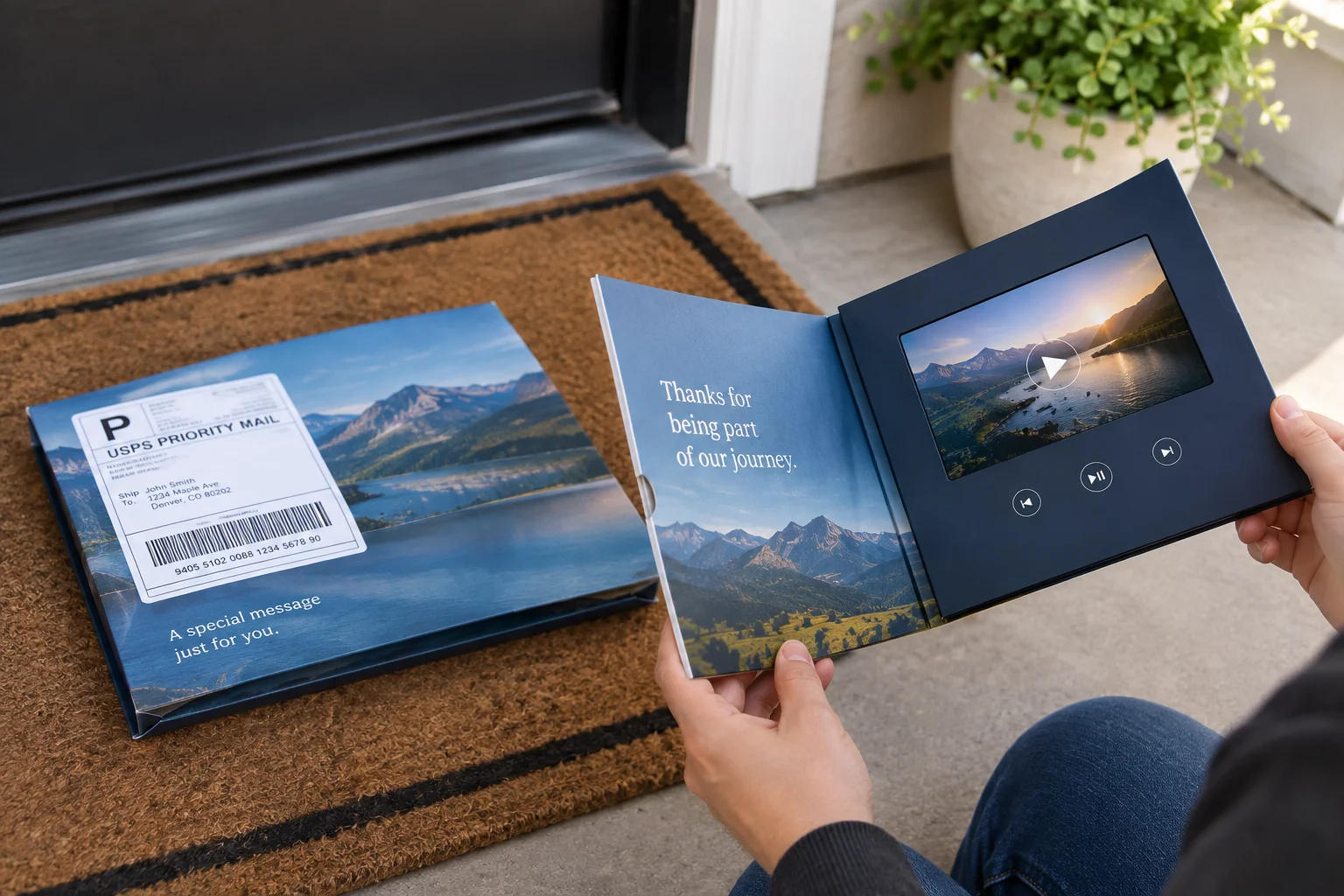
A brochure gets opened in one hand, standing up, often in a corridor or at a desk between other things. A box gets opened with two hands, on a surface, with a moment set aside for it. A mailer sits somewhere between the two.
That changes what the video itself can be. A brochure video is competing with the person’s next task and has to be very short. A box video has their attention properly and can carry a real demonstration.
So before you choose on price, decide where this thing is going to get opened. The format that matches the moment will outperform the format that matched the budget.
A note on quality between suppliers
Two quotes for the same format can differ enormously and the reason is almost never the box itself. Four things explain most of the gap.
Panel type. IPS holds color and contrast at an angle while TN does not. A TN panel looks washed out the moment somebody views it from the side and that is exactly how an open box on a desk gets watched. Ask which panel you are buying whenever a quote looks unusually cheap.
Battery and documentation. A cell with a proper protection circuit and a genuine UN 38.3 test summary costs more than one without and the one without may not be shippable by air at all.
Board thickness and construction. A rigid box at 1.2 mm and one at 2.0 mm are different objects. On a structure that has to hold a screen module in a cut out, the thinner board flexes.
Testing depth. Some suppliers power on and play every single unit while others check a sample. On electronics bonded inside packaging, sampling is not enough because a dead unit cannot be swapped out after assembly.
Ask about all four before you compare the numbers. Otherwise you are comparing two different products that happen to share a name.
The brief to send your supplier
Send us these six things and you will get a usable quote on the first exchange rather than the third.
- What goes inside, if anything, with its dimensions and weight
- How it reaches the recipient. Handed over, posted alone, or posted inside something else
- Quantity and whether the order repeats
- Screen size if you know it or the video length if you do not
- Destination country and the date it needs to land
- Artwork status. Ready, in progress, or not started
Item five is the one people leave out and it is the one that changes the routing. Every format in this category carries a lithium battery so the destination and the date decide whether the order flies or sails. That call gets made at quotation stage rather than at dispatch.
Can you change format between campaigns?
You can change part of it and that part saves real money for anyone running more than one campaign.
The module transfers. If you bought 7 inch modules for a video box campaign, those same modules will fit a brochure or a mailer built around them. The screen assembly is a standard part rather than something built for your job.
The shell does not transfer. The box tooling is cut for your box dimensions and it bears no relationship at all to a brochure die.
What this means in practice. If you expect to run video campaigns more than once, standardize on a screen size early and then keep it. You can change the format, the artwork and the video freely and you only pay for new tooling on the part that actually changed.
The same logic applies within a single format. Reordering the identical box in a new print run only pays for the modules and the printing because the die already exists and tooling is a one-time cost.
Before you brief a supplier
Decide the format before you discuss artwork because the format decides your artwork area, your screen size options and your budget.
Then send three things: what is going inside it if anything, how it reaches the recipient and how many you need. Those three answers narrow the whole category down to one format and one screen size and everything after that is design.
At The Customized Boxes we produce custom video boxes with the screen, the insert and the printed shell all built around your product. If you are still deciding between formats, tell us what needs to travel with the video and we will tell you honestly whether a box is the right spend.
Video Packaging Format Questions Buyers Ask
Ready to price one of these formats?
Send the three answers: what goes inside, how it reaches the recipient, and how many. We come back with a dieline, a 3D mock up and a line by line quote.
